
Smallpdf

Smallpdf

freemium image to pdf pdf to image
Visit Website

About Smallpdf

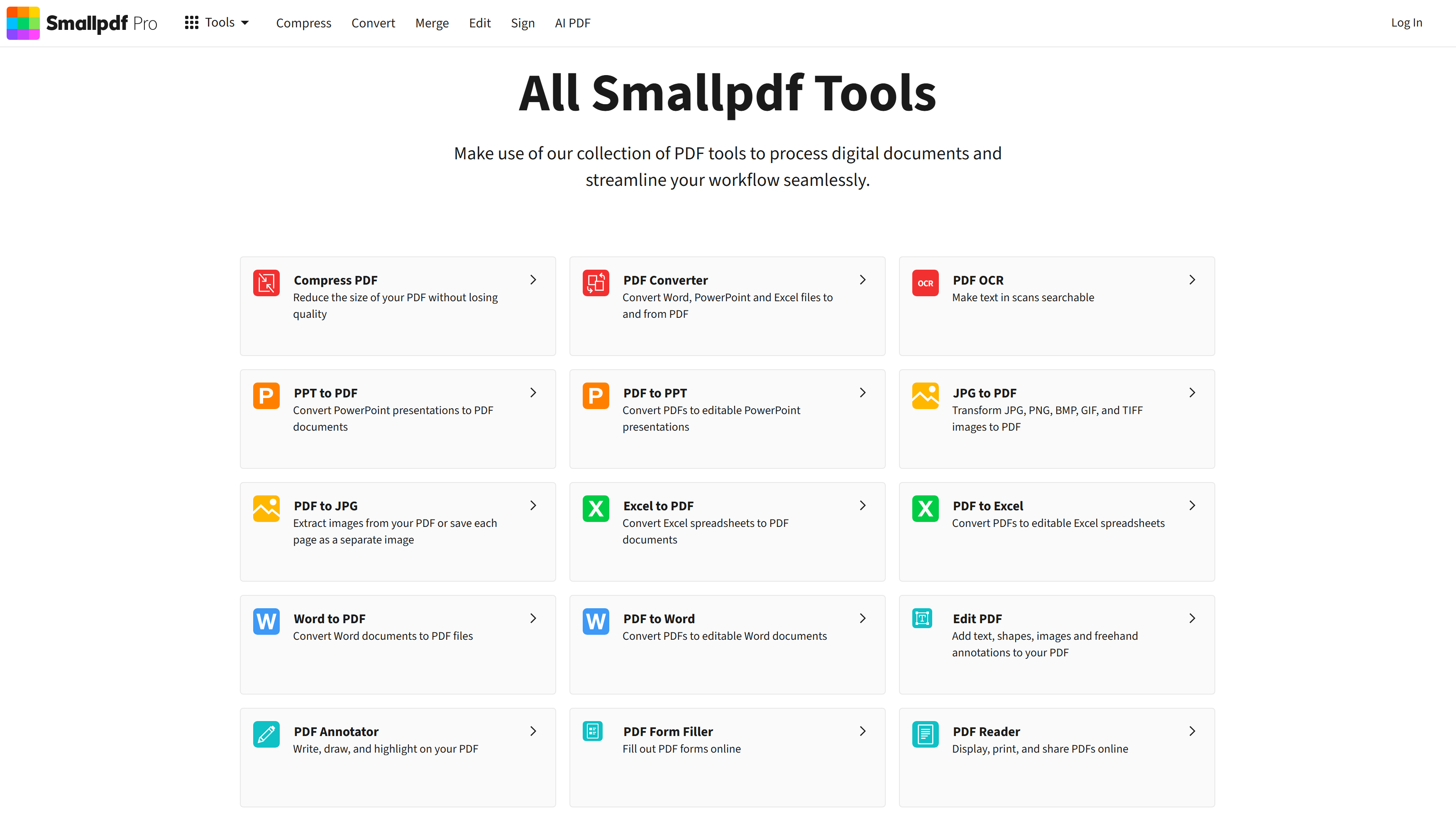
All Smallpdf Tools

Make use of our collection of PDF tools to process digital documents and streamline your workflow seamlessly.

Smallpdf is a powerful solution designed to help users with their needs. Explore the features below to see how it can benefit your workflow.

Fast & Reliable

Optimized for performance and speed.

Secure

Trusted by thousands of users.

Scalable

Grows with your needs.

Key Features

Discover the capabilities of Smallpdf.
No specific features listed for this tool yet.

Screenshots

Screenshot of Smallpdf

Alternatives

Similar tools you might like:

Image Placeholder

Overview Placeholder is a high-performance Image Placehol...

View

VEED

Overview VEED is the ultimate online video suite for prof...

View

AutoGPT

Overview AutoGPT is the original open-source autonomous A...

View

Related Tools

Overview Placeholder is a high-performance Image Placeholder API designed for modern web development. Unlike older tools that generate heavy JPGs or PNGs, this tool generates lightweight SVGs (Scalable Vector Graphics) instantly. It allows developers and designers to create perfectly sized dummy images for wireframes and layouts simply by modifying the URL parameters. Why Use Placeholder? Speed is everything in development. Placeholder images are typically under 1KB in size, meaning they load instantly and won't slow down your local development server. Because they are SVGs, they are "Retina Ready" and scale infinitely without pixelating, making them perfect for testing responsive designs on 4K monitors or mobile devices. Key Capabilities: URL-Based Generation: Create images instantly by typing a URL like /placeholder/600x400. You can define width, height, background color, and text color directly in the link strings. Custom Text Support: Need more than just dimensions? You can append a ?text=Your+Text parameter to label specific sections of your wireframe (e.g., "Hero Banner" or "Ad Slot"). Vector Quality (SVG): Generates resolution-independent SVGs. Unlike raster images that get blurry when zoomed, these placeholders remain crisp at any size, ensuring your mockups look professional. Zero Dependencies: No login, no API keys, and no heavy external requests. It is a "fire and forget" tool designed to keep your workflow fast and private.

View Details

VEED

FREEMIUM

Overview VEED is the ultimate online video suite for professionals who need to create high-quality content fast. Unlike heavy desktop software like Premiere Pro, VEED runs entirely in your browser and uses AI to automate the most tedious parts of editing—like subtitling, audio cleaning, and resizing for social media. Why Use VEED? If you create content for TikTok, Instagram Reels, or LinkedIn, VEED is a productivity powerhouse. Its Auto-Subtitle engine is widely considered the most accurate in the industry. The platform has also evolved into a full generative AI studio, offering AI Avatars to present your content and Voice Dubbing to translate your videos into other languages with a single click. Key Capabilities: Auto Subtitles & Translation: Instantly transcribe audio and generate perfectly synced captions with 98.5% accuracy. You can also translate these subtitles (or the audio itself) into 100+ languages to reach a global audience. Eye Contact Correction: Reading from a script? VEED’s AI subtly retargets your eyes to look directly at the camera, making your delivery look natural and confident even if you were looking down. AI Avatars: Don't want to be on camera? Choose from over 50 photorealistic AI avatars to deliver your script, or create a "Digital Twin" of yourself to scale your video production. Magic Cut: automatically removes "ums," "ahs," filler words, and awkward silences from your recording, turning a rough take into a polished video in seconds.

View Details

AutoGPT

FREE

Overview AutoGPT is the original open-source autonomous AI agent that took the world by storm. Unlike ChatGPT, which waits for your prompts, AutoGPT sets its own goals. You give it a mission—like "Research the top 5 competitors in the EV market and write a report"—and it autonomously browses the web, gathers data, writes code, and executes tasks until the job is done. Why Use AutoGPT? If you are a developer or tech enthusiast who wants to build the future of AI, AutoGPT is your playground. It is more than just a tool; it is a platform for building, testing, and benchmarking your own AI agents. With the new AutoGPT Forge, you can create custom agents using a standardized protocol and test their performance against real-world scenarios. Key Capabilities: Autonomous Goal Execution: The core feature that made it famous. Give it a high-level goal, and it breaks it down into sub-tasks, executes them, and critiques its own work to ensure accuracy. AutoGPT Forge: A toolkit for developers to build their own custom agents. It handles the "boilerplate" code so you can focus on the unique logic of your agent. Agbenchmark: A built-in benchmarking tool that rigorously tests your agent's performance, ensuring it can actually solve real problems before you deploy it. Internet & File Access: Unlike standard chatbots, AutoGPT can browse the live internet, read/write files to your computer, and execute Python scripts to solve complex math or data problems.

View Details

Quick Actions

Visit Official Website

Tool Information

Pricing freemium
Total Views 44
Last Updated Recently

Tags

image to pdf pdf to image merge pdf split pdf compress pdf pdf ocr
Never Miss an Update

Get Weekly Trending Reports

Join 50,000+ professionals. Stay updated with the hottest tools, detailed reviews, and emerging trends delivered straight to your inbox.

No spam, unsubscribe anytime.