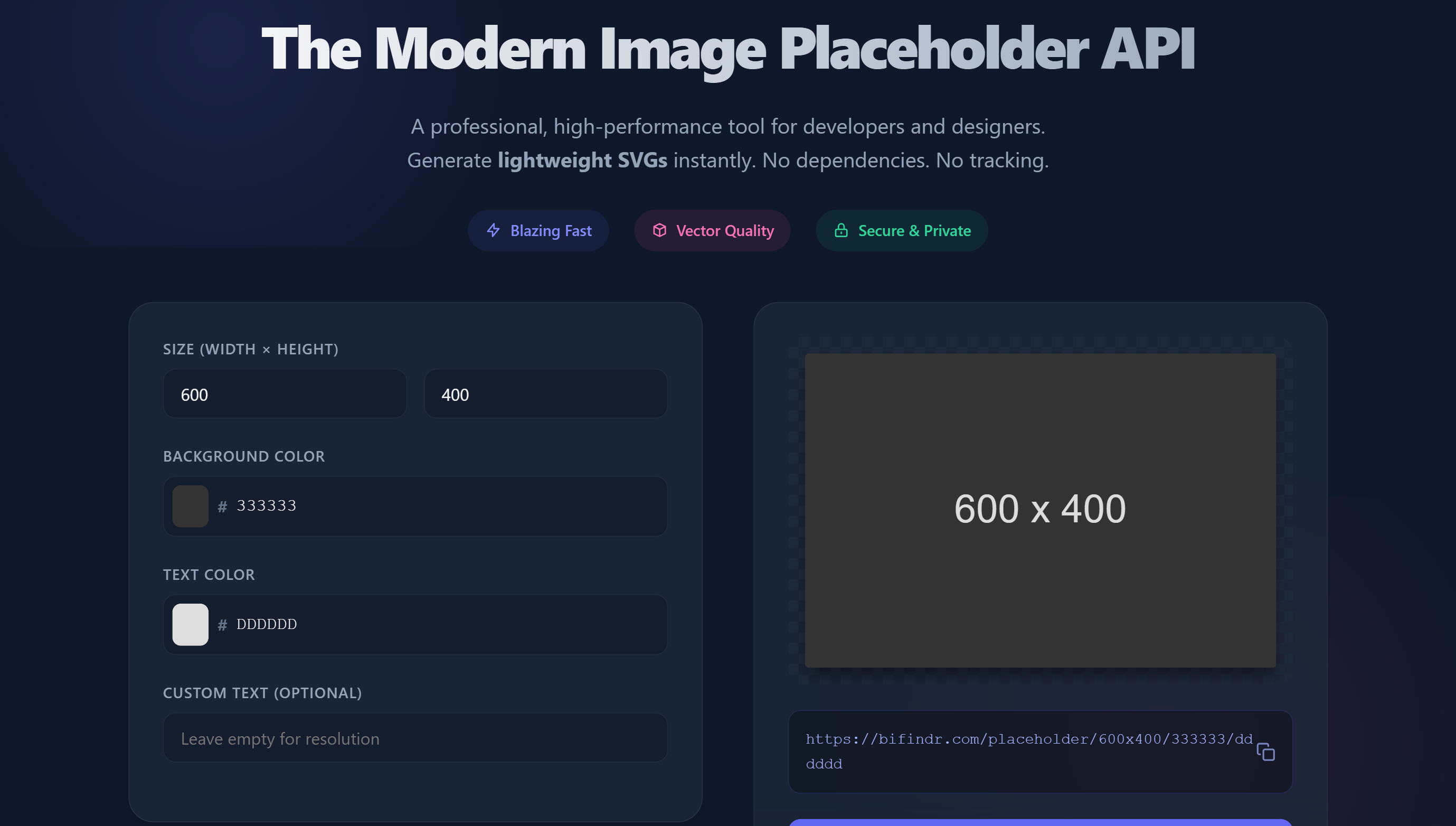
Placeholder is a high-performance Image Placeholder API designed for modern web development. Unlike older tools that generate heavy JPGs or PNGs, this tool generates lightweight SVGs (Scalable Vector Graphics) instantly. It allows developers and designers to create perfectly sized dummy images for wireframes and layouts simply by modifying the URL parameters.
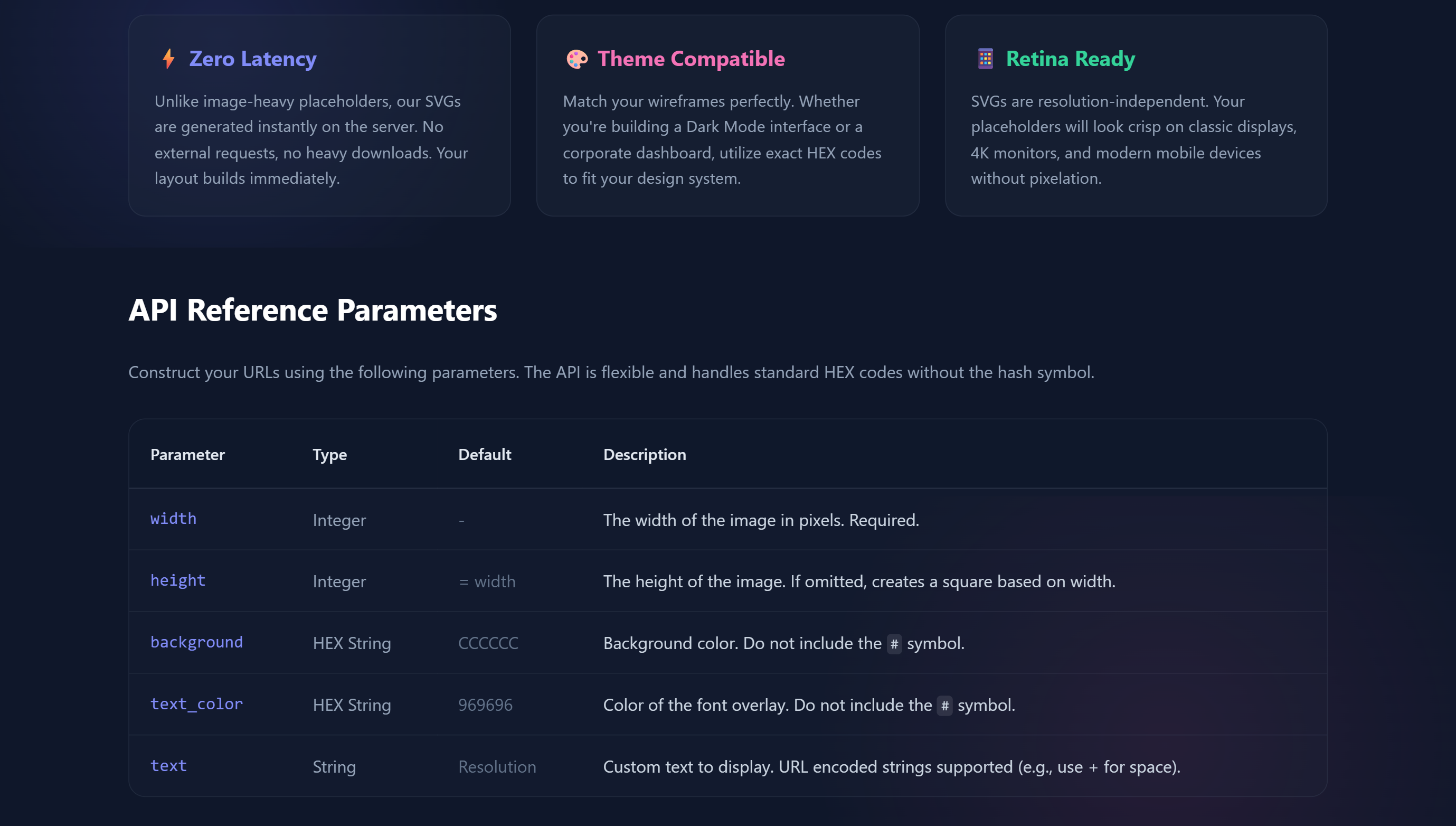
Speed is everything in development. Placeholder images are typically under 1KB in size, meaning they load instantly and won't slow down your local development server. Because they are SVGs, they are "Retina Ready" and scale infinitely without pixelating, making them perfect for testing responsive designs on 4K monitors or mobile devices.
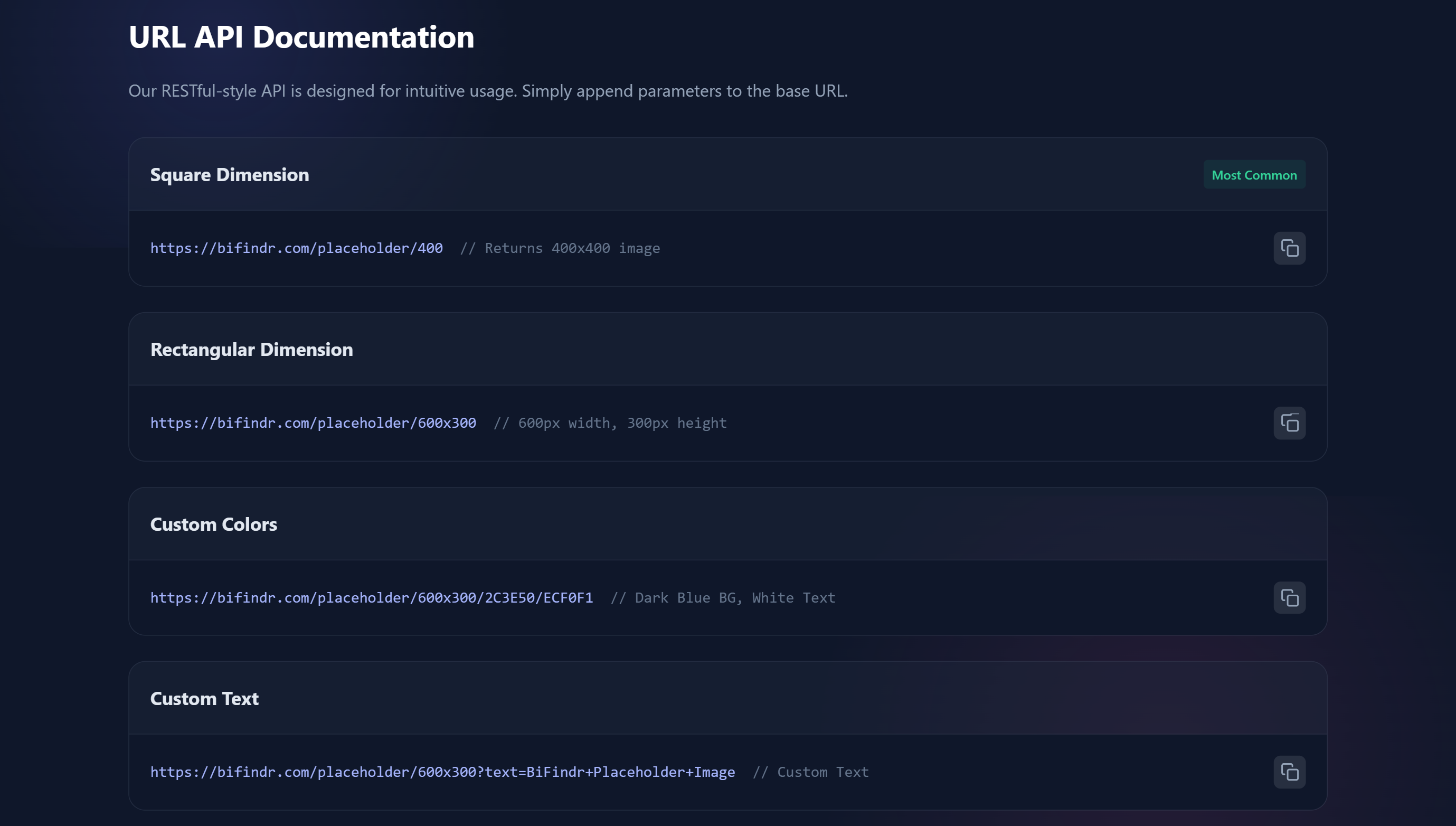
URL-Based Generation: Create images instantly by typing a URL like /placeholder/600x400. You can define width, height, background color, and text color directly in the link strings.
Custom Text Support: Need more than just dimensions? You can append a ?text=Your+Text parameter to label specific sections of your wireframe (e.g., "Hero Banner" or "Ad Slot").
Vector Quality (SVG): Generates resolution-independent SVGs. Unlike raster images that get blurry when zoomed, these placeholders remain crisp at any size, ensuring your mockups look professional.
Zero Dependencies: No login, no API keys, and no heavy external requests. It is a "fire and forget" tool designed to keep your workflow fast and private.
Image Placeholder is a powerful solution designed to help users with their needs. Explore the features below to see how it can benefit your workflow.
Optimized for performance and speed.
Trusted by thousands of users.
Grows with your needs.
Discover the capabilities of Image Placeholder.
Dummy Image Generation
SVG (Vector)
< 1KB (Ultra Lightweight)
Dimensions, Colors (HEX), Text
URL API (RESTful)
100% Free (Commercial Use)

Overview Replit AI is the world's most advanced Autonomous Coding Agent. While other tools (like Cursor or Copilot) help you write code inside an editor, Replit builds the entire application for you. Because it runs in the cloud, it controls the full stack—database, backend, and frontend—allowing it to go from a simple text idea to a fully deployed, live website in minutes. Why Use Replit AI? If you have an app idea but hate setting up environments, Replit is the magic wand. You simply type "Build a personal CRM with a dashboard and login system," and the Replit Agent plans the architecture, installs the packages, writes the code, sets up the database, and hosts it on a public URL. It effectively lowers the barrier to software creation to zero. Key Capabilities: Replit Agent (Agent 3): An autonomous AI employee that acts as a Full-Stack Engineer. It doesn't just suggest code; it creates files, runs commands, fixes its own errors when tests fail, and deploys the final result. Zero-Setup Environment: Unlike local coding, Replit runs in the browser. You can start coding on a library computer, an iPad, or your phone, with instant access to massive cloud compute power. Mobile Coding: The Replit mobile app is widely considered the best way to code on the go. The AI Agent is fully accessible on mobile, meaning you can build and deploy complex software while commuting. Self-Healing Code: If the Agent writes code that crashes, it reads the error logs, understands why it failed, and rewrites the code to fix it automatically—often before you even notice there was a bug.
View Details
Overview Pika is the AI video generator built for the internet generation. While other tools focus on cinematic realism, Pika excels at creativity, fun, and social-first content. Known for its viral Pikaffects (like melting, exploding, or squishing objects), it allows anyone to turn a static image into a hilarious or stunning animation in seconds. Why Use Pika? If you want to create engaging TikToks, Reels, or memes that stop the scroll, Pika is your best bet. It is faster and more intuitive than professional editors. The latest Pika 2.2 model introduces "Pikascenes" for complex scene building and "Lip Sync" to make any character talk with perfect audio synchronization. Key Capabilities: Pikaffects: A signature feature that lets you apply wild physics to your images—make a cat "melt" into a puddle, "inflate" a logo like a balloon, or "crush" an object, all with one click. Pika 2.2 Model: The newest engine delivers 1080p resolution and better motion consistency, allowing for longer, 10-second clips that maintain their quality. Lip Sync & Sound: Pika doesn't just do video; it generates sound effects automatically to match the action (like bacon sizzling) and syncs character lips to uploaded audio. Modify Region: Use "Pikaswaps" to select a specific part of a video (like a shirt or a prop) and change it using a text prompt while keeping the rest of the video intact.
View DetailsAnonymous Instagram story, profile, and followers viewer for quick public Instagram checks without login.
View DetailsJoin 50,000+ professionals. Stay updated with the hottest tools, detailed reviews, and emerging trends delivered straight to your inbox.
No spam, unsubscribe anytime.
